
How to display your Binance balances and trades directly in Excel
Hi there!
Binance is one of the most popular cryptocurrency platforms in the world. If you're an active trader on Binance, you know how tedious it can be to keep track of every trade and of what each wallet holds. This article shows how to read your Binance balances and trades straight into Excel with LinkyFlow, from an API key that can only read.
Install LinkyFlow and sign in
LinkyFlow is an Excel add-in, free on the Microsoft Marketplace: https://appsource.microsoft.com/en-us/product/office/WA200006362. Once it is installed, a LinkyFlow tab appears in Excel's ribbon; "Sign in" opens its pane.
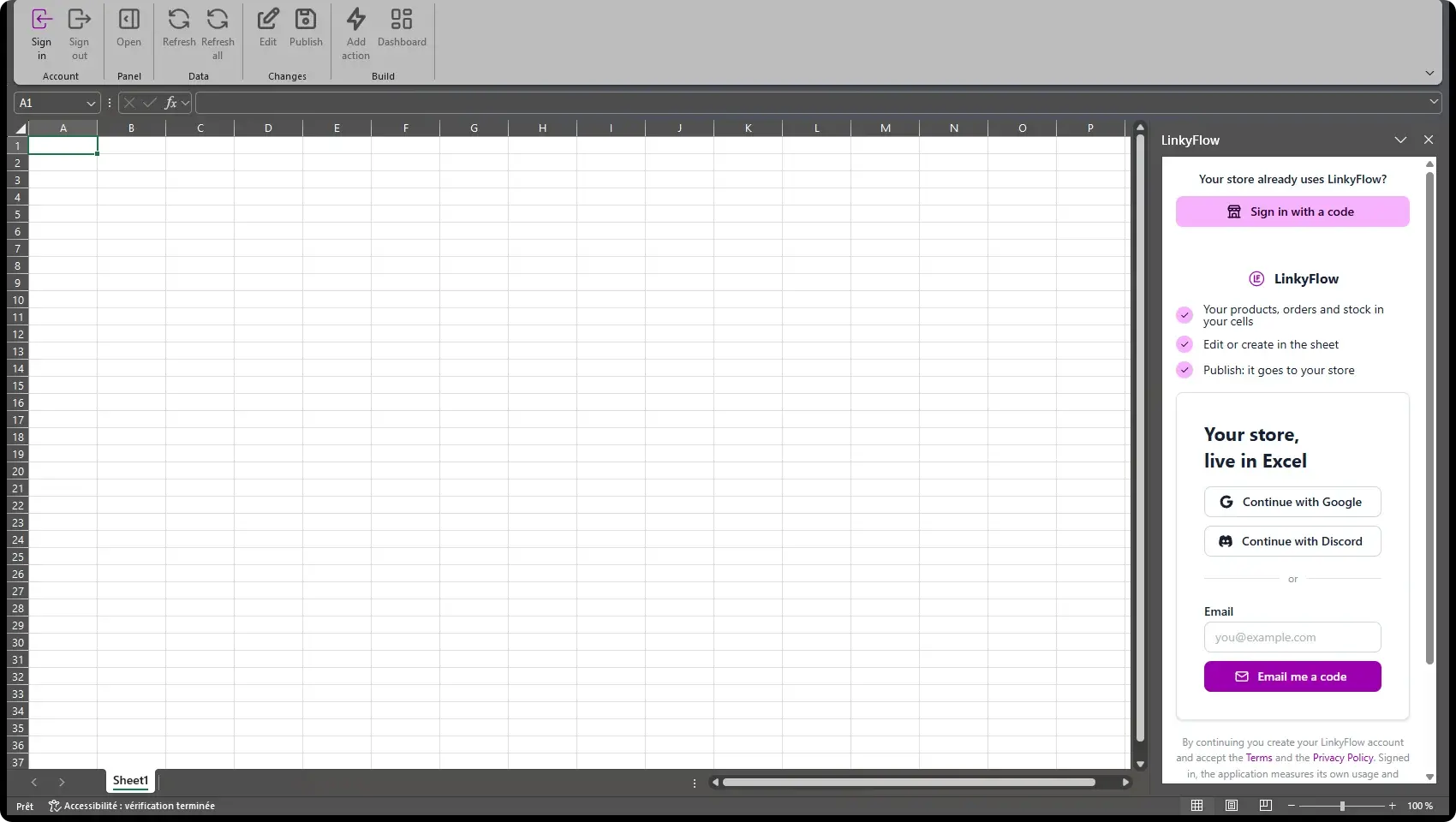
Continue with Google or Discord, or type your email and LinkyFlow sends you a code: there is no LinkyFlow password to keep.
Why an API key?
An API key is the equivalent of a Binance login/password created for one outside application (here LinkyFlow). It also restricts what that application may do: we create a read-only key, which lets LinkyFlow read your balances and trades but can never place an order or move funds.
Create a Binance key
Binance describes how to create one: https://www.binance.com/en/support/faq/how-to-create-api-keys-on-binance-360002502072
In summary, log in to your account https://www.binance.com/en/my/settings/api-management, then open "API Management".
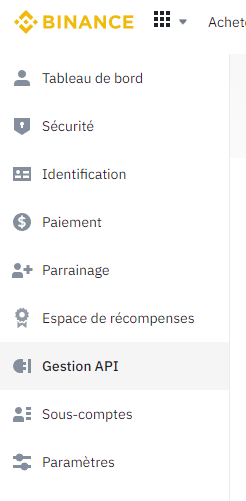
Then "Create API" in the upper right corner.

There are 2 choices, system-generated or self-generated: the simplest is system-generated.
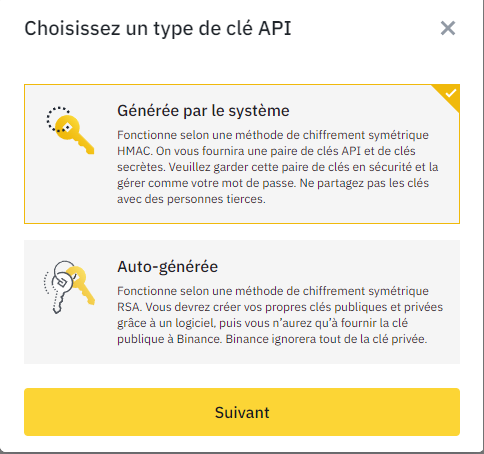
Fill in the name and validate. Simple, isn't it?
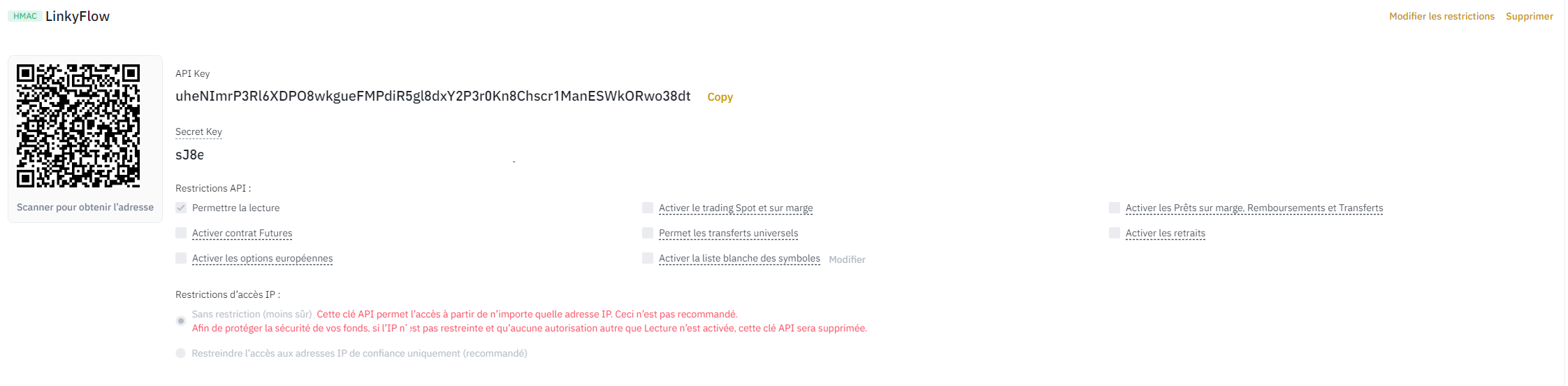
The key is now created, with an API Key and a Secret Key. 2 important points:
- The Secret Key is your password: keep it aside and never share it with anyone.
- Keep the API restrictions to "Enable Reading". This limits access to reading and does not authorize any operation on the account: no risk of an unexpected transfer.
Connect Binance to LinkyFlow
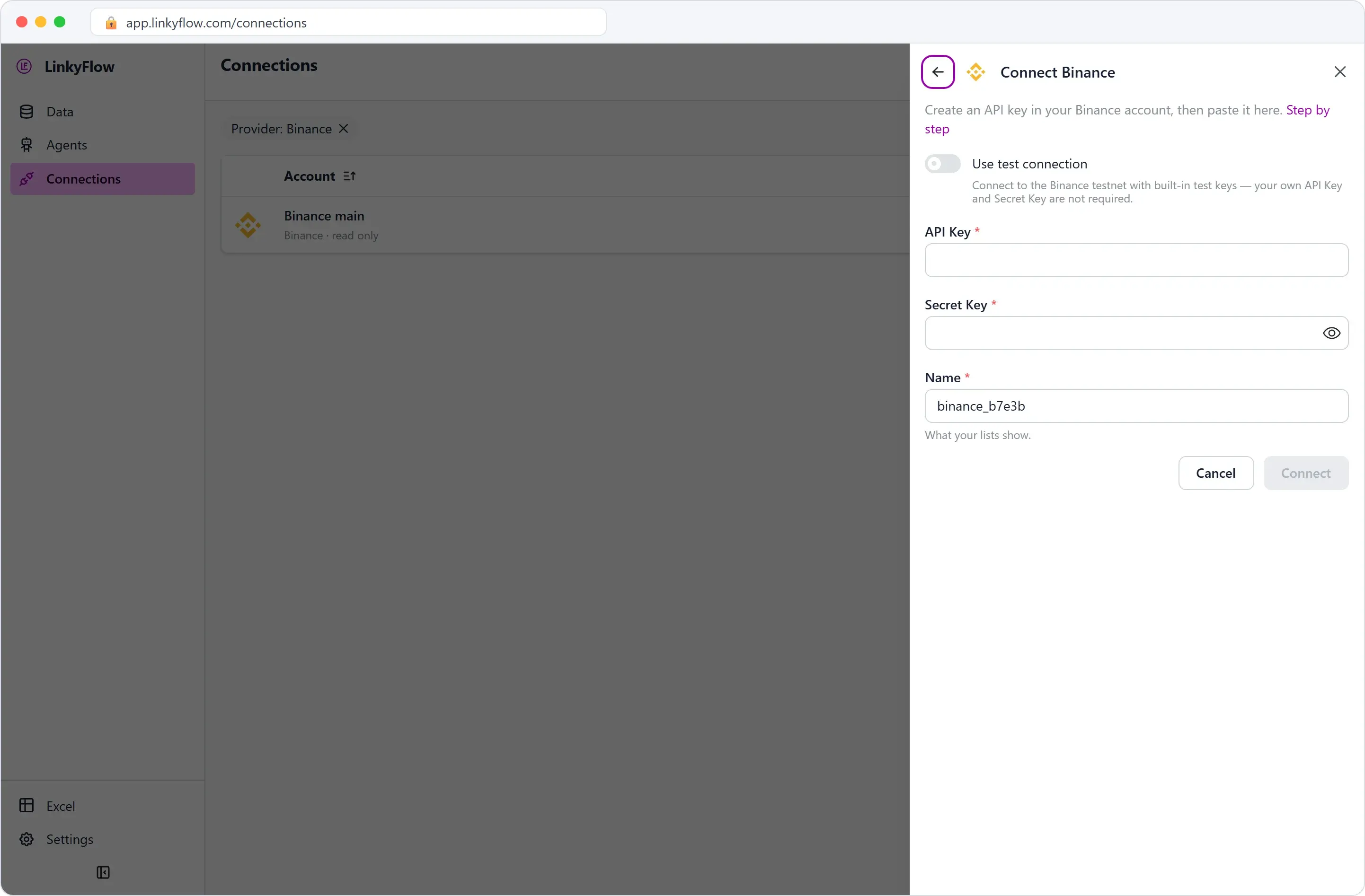
In the LinkyFlow app, open Connections, then "Add connection" and Binance; in Excel, the same form opens from the FROM list of the Query panel.
- Binance's API Key goes into "API Key"
- Binance's Secret Key goes into "Secret Key"
- "Name" is what your lists will show, here "Binance main"
Be careful not to paste spaces before or after the keys, then click "Connect". No key yet? "Use test connection" connects to the Binance testnet with built-in test keys, to try everything first.
Read your balances
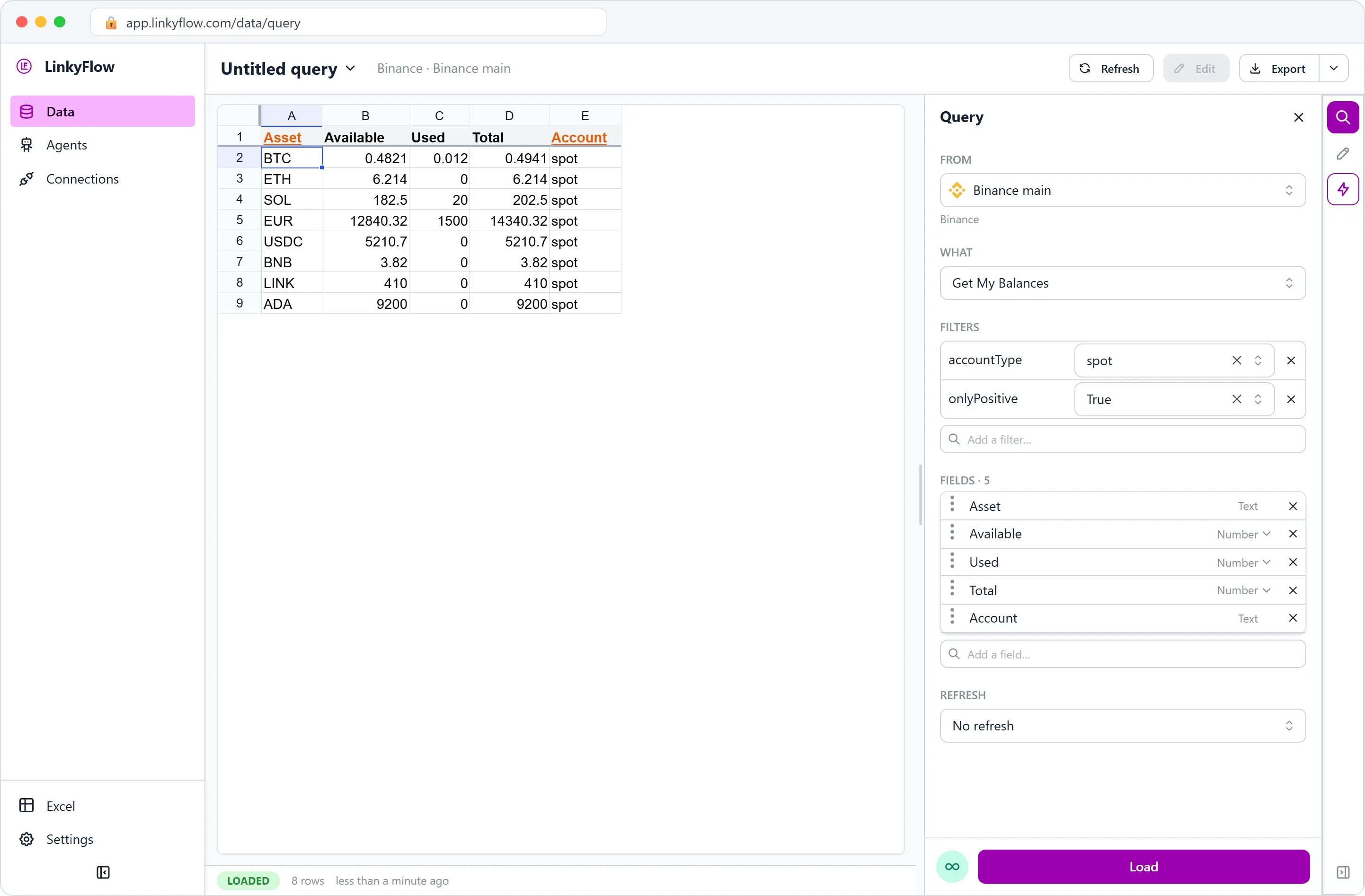
In the Query panel, choose FROM "Binance main" and WHAT "Get My Balances", then click "Load". Each asset comes in with what is available, what is used (held by open orders) and the total. The "accountType" filter picks the wallet (spot here) and "onlyPositive" leaves out the empty ones.
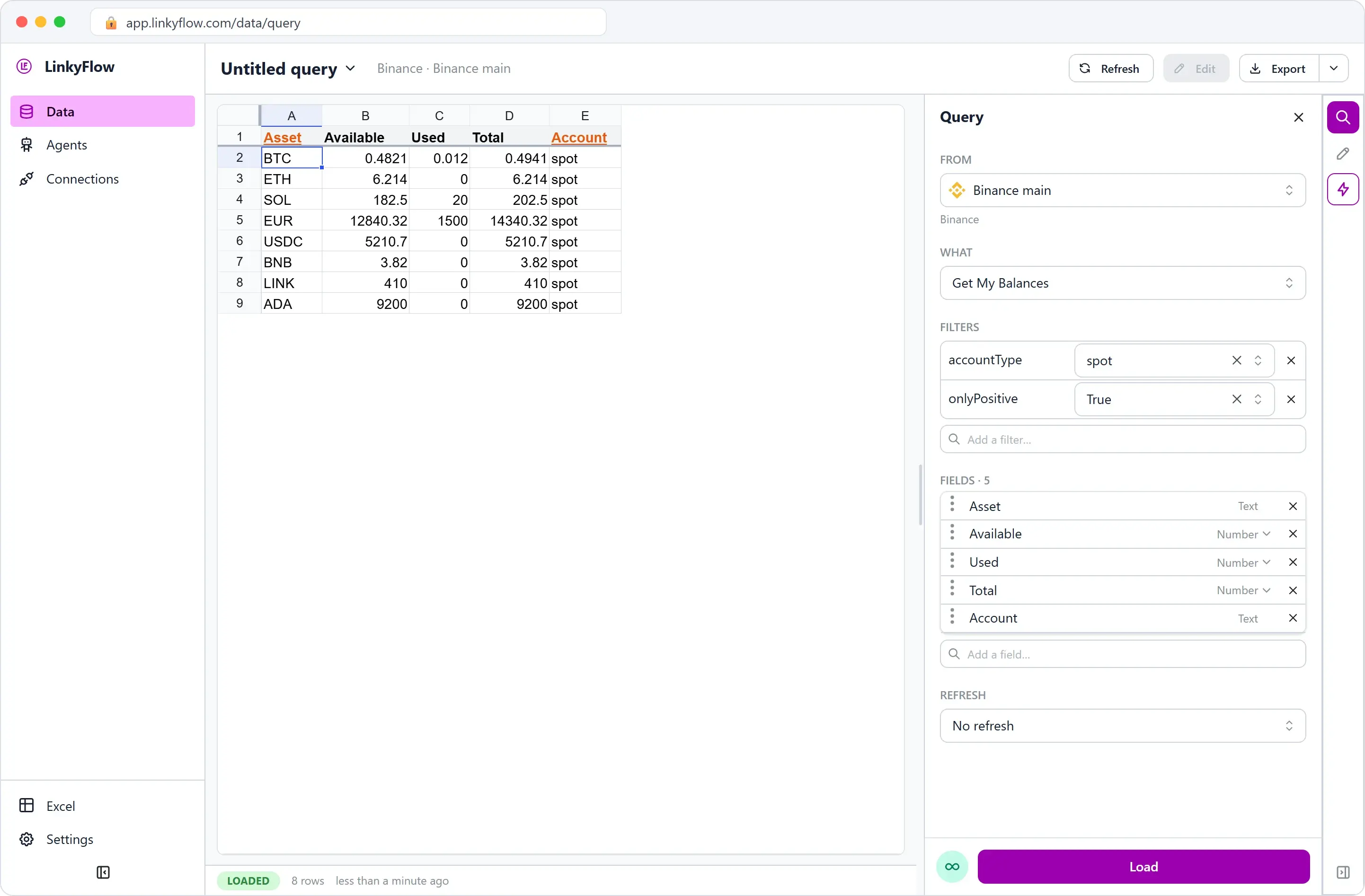
The fields are yours to choose: remove a column, add another from "Add a field", put them in the order you want.
Read your trades
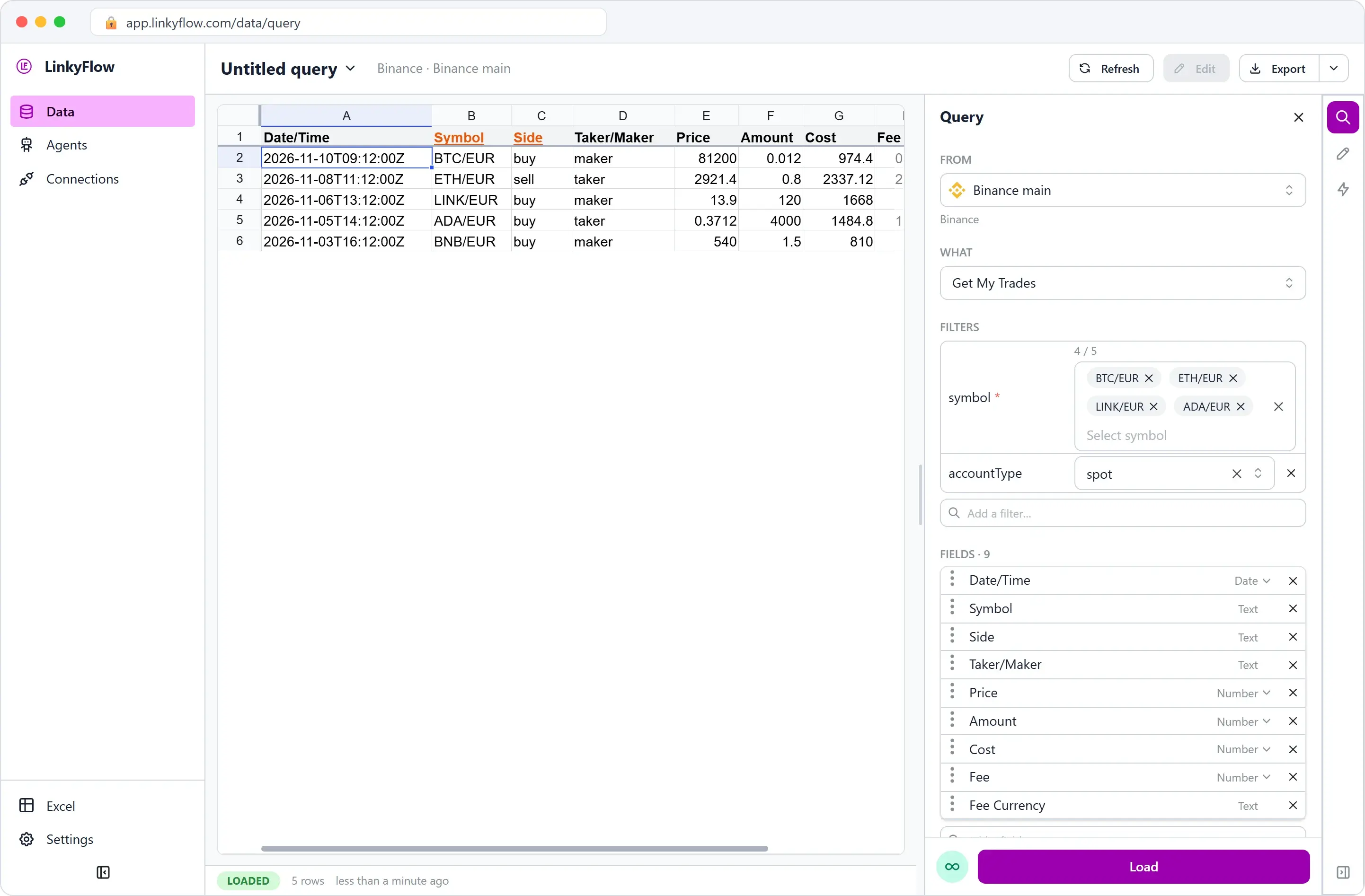
WHAT "Get My Trades" lists your trades for the symbols you pick (up to five in one query): date, symbol, side, taker or maker, price, amount, cost and fee.
In Excel
The screenshots above come from the web app; the pane in Excel is the same Query panel. "Load" writes the rows into the sheet, and "Refresh" (or "Refresh all", for every LinkyFlow sheet of the workbook) reads them again from Binance: your own formulas and charts next to them stay up to date.
Conclusion
With a read-only key and two queries, your Binance balances and trades are in Excel, ready for your formulas, and one click brings them up to date. The key's setup is also in the documentation: Connect exchange API keys. To compare a symbol's price across exchanges, read Leveraging price discrepancies for arbitrage; to buy one and check the order, the trade and the balance it leaves, Buy bitcoin on Binance end to end.