LinkyFlow — autonomous agents and live business data in Excel or on the webLinkyFlow
LinkyFlow · Square

Square. Your business, read in Excel or on the web.

Load your Square locations, your catalogue items and variations with their SKUs and prices, their stock, the orders of each location, your payments and your refunds into Excel or the web app. Connect with Square, with no key to copy. It writes only what you ask: a catalogue change, a stock level, a refund.

Square catalogue items loaded in the LinkyFlow web app

100

rows per page — "All results" walks the pages for you

Excel + Web

the same live tables in both

7

Square reads available

Agents that work with Square.

They run every hour on your connected account, report what needs attention, and their results open in Excel or in the web app.

  • Shopify
  • WooCommerce
  • eBay
  • BigCommerce
  • Square
  • PrestaShop
  • Odoo
  • Wix

Inventory Stock Sync Agent

Keeps stock quantities in step across your stores, with one master store as the only source of truth.

  • One master store, one or more targets
  • Exact SKU matching, never guessed
  • Guard-rails and a read-back on every write
View agent
Browse all agents

What your business sells. One workbook.

Locations, catalogue, orders and payments — read from the Square API and kept connected to your sheet.

Locations
Catalog Items
Catalog Variations
Stock
Orders
Payments
Refunds

From the CSV export to a live sheet.

No more exporting a report to rework it in a spreadsheet: LinkyFlow reads the Square API and keeps the sheet connected to your account.

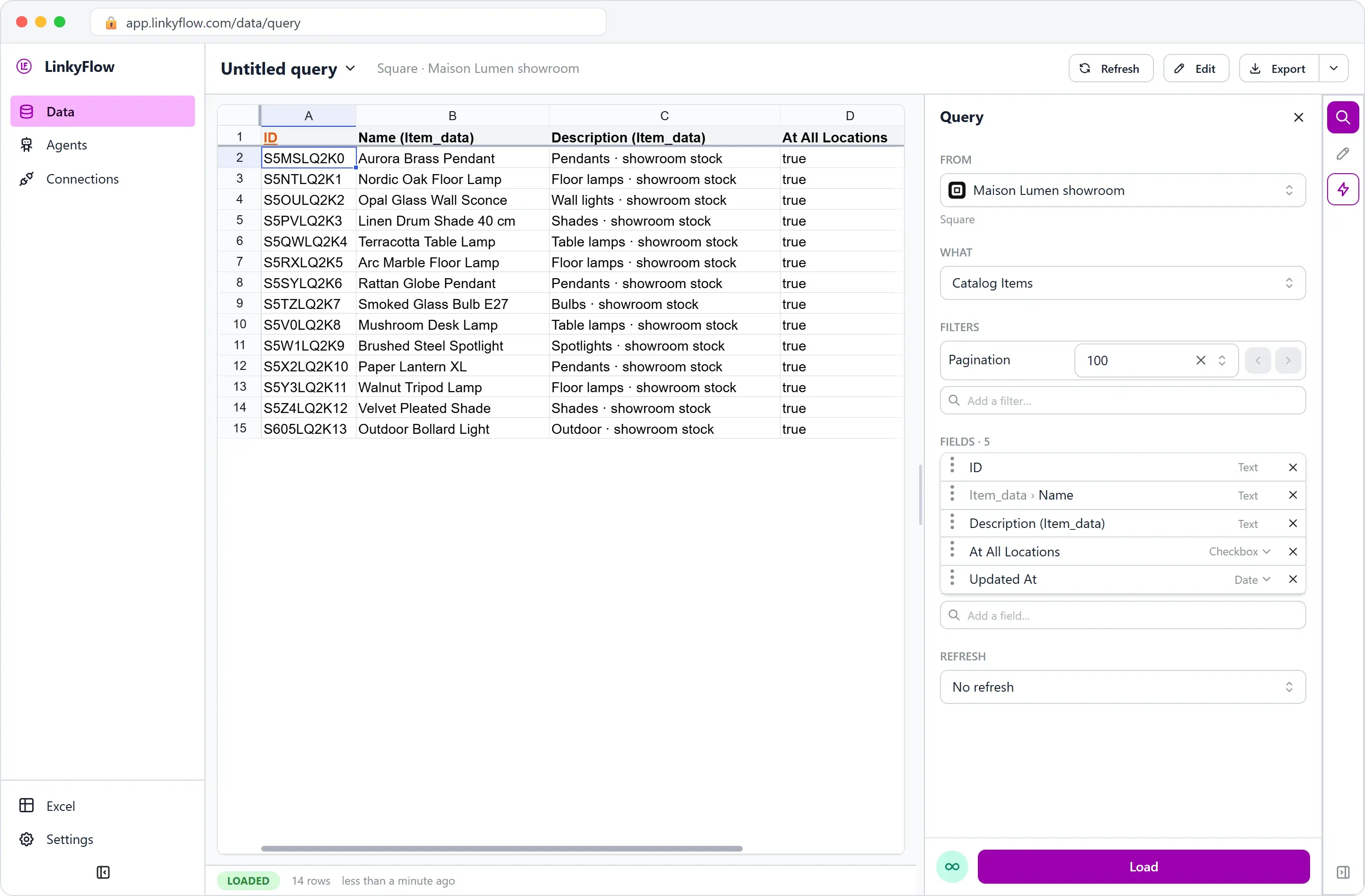
Every item, its variations, their SKUs and prices

Load your catalogue items with their type and whether they are archived, then the variations that carry each SKU and price. A price stays in minor units beside its currency, exactly as Square states it.

Square catalogue items loaded in the LinkyFlow spreadsheet view, with their name, type and archived flag
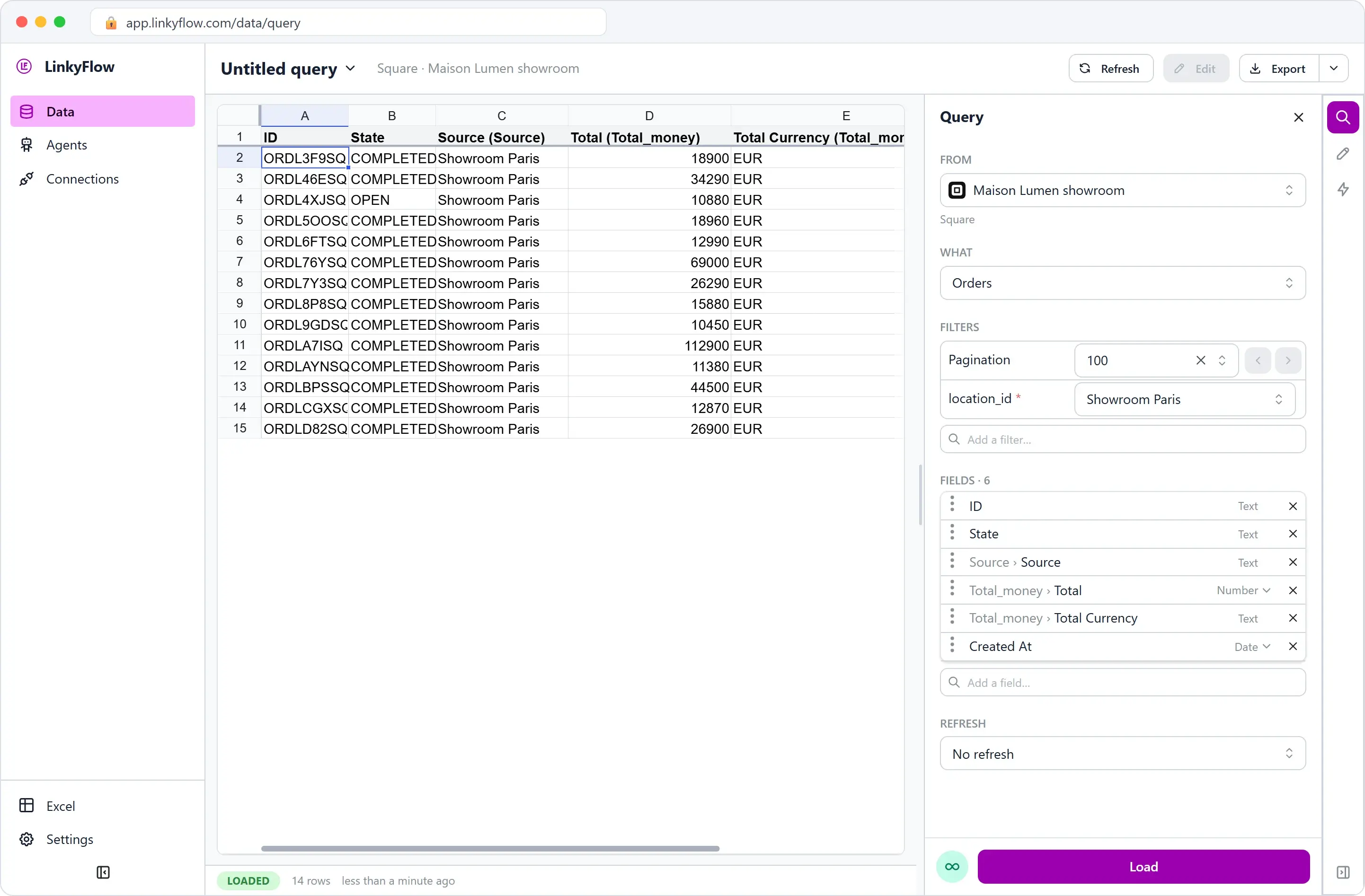
Square orders loaded in the LinkyFlow spreadsheet view, with their location, state and total

The orders of a location, the latest updated first

Load the orders of one location at a time, filtered by state or by update date, with their totals, taxes, discounts, tips, service charges and lines.

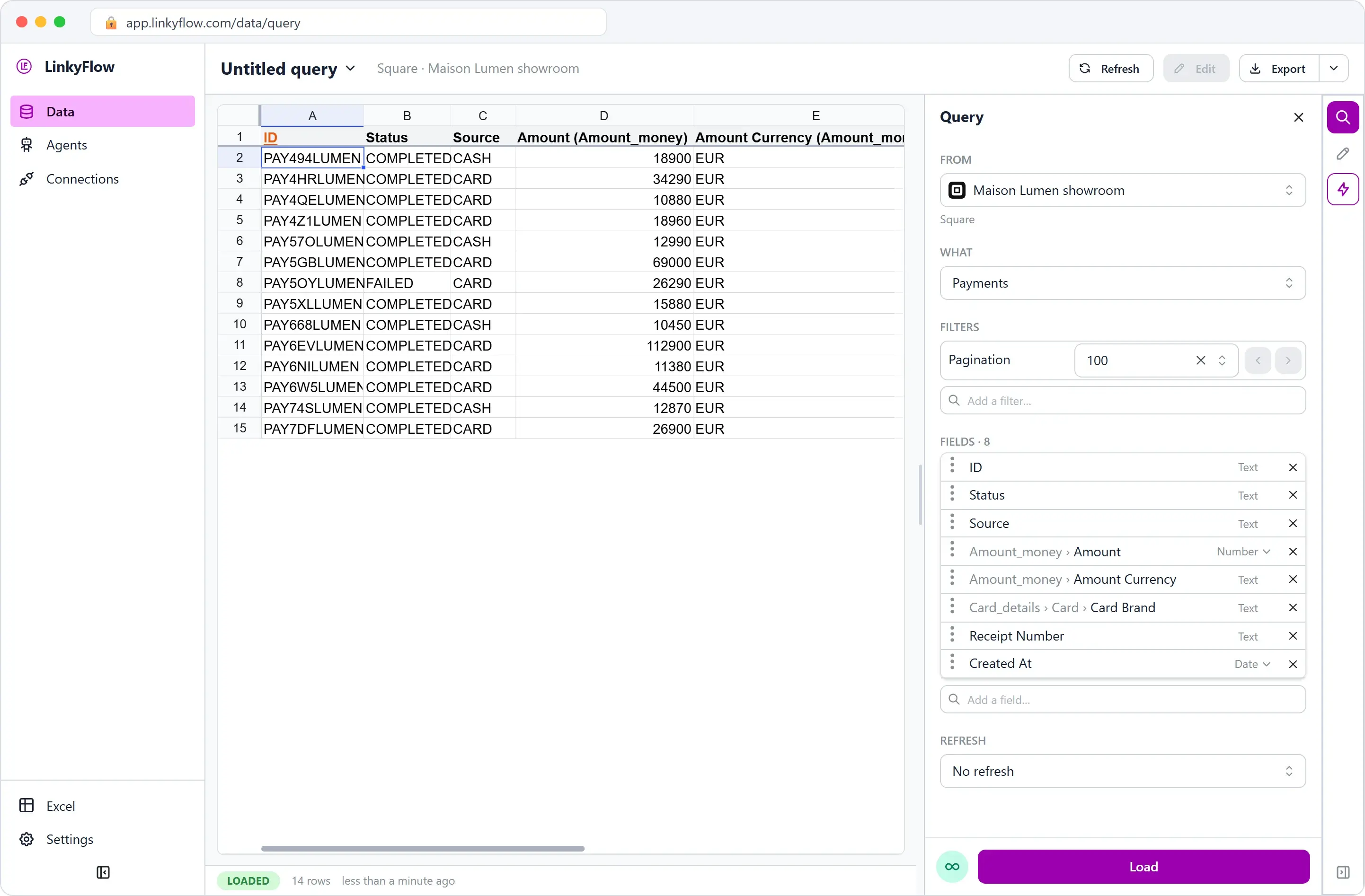
Your payments, their amounts and their cards

Load your payments, for the whole business or one location, filtered by creation date, with the amount, the tip, what was refunded, the status, the card brand and last four digits, and the order each one belongs to.

Square payments loaded in the LinkyFlow spreadsheet view, with their status, source and amount

From install to first export.

STEP 01

~1 min

Open LinkyFlow

Sign in to the LinkyFlow web app, or install the free add-in from AppSource and open it in Excel.

STEP 02

~1 min

Connect Square

Click Connect with Square, sign in at Square and approve the permissions it lists: items, inventory, orders, payments and merchant profile. There is no key to copy.

STEP 03

~30 s

Load and work

Pick Payments, load — then filter and add your formulas in the same sheet.

Your Square business. Your spreadsheet.

Connect your account and read its catalogue, orders and payments in Excel or on the web.

Frequently asked questions

What Square data can LinkyFlow access?

Seven reads: your locations, your catalogue items, your catalogue variations with their SKUs and prices, their stock, the orders of a location, your payments and your refunds. Customers and payouts are not read.

Can LinkyFlow write to Square?

Yes, when you ask it to: an item’s name or status, a variation’s SKU and price, a stock level, and a refund of a payment. Each runs only from your own action, and nothing is deleted at Square. If you connected before these writes existed, reconnect to approve them; until then they are not offered.

What do I need to connect?

Your Square login. Click Connect with Square, sign in at Square and approve the permissions it lists: items, inventory, orders, payments and merchant profile. There is no key to copy.

How are amounts shown?

As Square states them: a whole number in the minor units of the currency, beside that currency. 1250 EUR is 12.50 EUR, while 1250 JPY is 1250 JPY, because the yen has no minor unit. The dashboards keep amounts in minor units, say so, and never add two currencies together.

Why do orders ask for a location?

Square reads orders one location at a time. Load the Locations table to find the ID of each one. Payments can be read for the whole business or for one location.

Is there a total row count?

No. Square pages through a list with a cursor and counts nothing, so LinkyFlow shows the rows it has read. "All results" walks at most 1,000 pages and says so when the answer is incomplete.

Can ChatGPT or Claude work with my Square business?

Yes, to read it: through MCP they can read your locations, catalogue, stock, orders, payments and refunds with the same connection. They are not offered Square’s writes.

How do I end LinkyFlow’s access?

In the Square Dashboard, under Settings → App integrations, with Disconnect App. Disconnecting there ends LinkyFlow’s access. Deleting the connection in LinkyFlow also asks Square to end the access, and tells you if Square refused.